
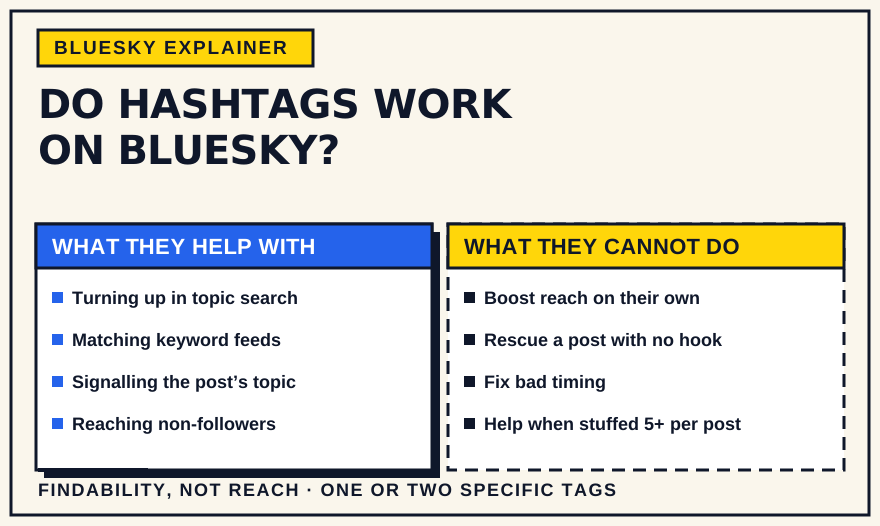
Yes — hashtags work on Bluesky, but mostly in one specific way: they make your post findable. Type a # in front of a word and it becomes a tappable tag; tapping it opens a search of posts using that tag, and keyword-based custom feeds can pick your post up because of it. What hashtags do not appear to do is trigger any kind of reach boost. Bluesky's own guidance treats them as a search filter, not a growth lever. Here is how to use them for what they are actually good at.
How hashtags actually work on Bluesky
Bluesky launched without hashtags and added them in early 2024. The mechanic is simple: a # immediately before a word, with no spaces, turns into a clickable tag (multi-word tags work if you run the words together, like #photooftheday). Tapping a tag opens results for that term. Bluesky's official search guidance describes this plainly — “any term that has the # prefix will show you posts with that tag” — and says nothing about hashtags affecting ranking or reach.
Two details matter. Search results are chronological, so a tagged post has a short shelf life — it slides down as newer posts with the same tag arrive. And there is no native “follow this hashtag” button as of 2026; it is an open feature request. People who want to track a tag build or subscribe to a custom feed for it and pin that instead.
A tag only works if the app you post from creates it
What makes a hashtag tappable is not the # character itself. A Bluesky post stores its text as plain text, and hashtags, mentions and links are separate annotations, called facets, that each point at a span of that text and say what it is. Bluesky's developer documentation on rich text says the API does not detect these automatically and that the client is responsible for generating them. The official app does this as you type, which is why hashtags just work when you post there.
That matters if you publish through a third-party tool. We tested this on SkyyCast in September 2026: a post containing a hashtag, an @mention and a URL was published through its normal scheduling pipeline, and we inspected the record that reached Bluesky. It contained the text only, with no facets. On Bluesky the post displayed as plain text — the hashtag, the mention and the link were not clickable, and no link card appeared. In other words, a hashtag in a post scheduled with SkyyCast does not currently act as a searchable tag or match a hashtag-based feed. We would rather state that plainly than imply otherwise; if it changes, this section will be updated.
The general lesson applies to any scheduler: do not assume a tag is live because it looks like one in the composer. Schedule a test post with a tag a couple of minutes ahead, then check whether the tag is tappable once it is published. We did not test hashtag search itself, so how quickly a tagged post appears in search results is not something this article can confirm. Our guide to choosing a Bluesky scheduling tool covers how to check that a scheduler passes tags through.
What hashtags can help with
- Search. When someone searches a topic, tagged posts are part of what surfaces. For anyone who does not already follow you, a tag is one of the few direct routes to your post.
- Custom-feed matching. Many niche feeds are built on hashtag rules. Use a tag a feed tracks and your post appears in that feed regardless of your follower count.
- Signalling the topic. A clear tag tells a reader — and a feed — what the post is about, which helps when the text alone is ambiguous.
What hashtags cannot guarantee
They are not a reach hack. The Following feed on Bluesky is strictly chronological, so a hashtag changes nothing about who among your followers sees a post. The Discover feed and custom feeds are the discovery layer, and what they reward is engagement and topical relevance, not the presence of a tag. Bluesky has not said that hashtags boost distribution, and there is no reliable evidence that they do. Adding tags does not hurt, but it will not rescue a post people have no reason to engage with.
Whether hashtags provide any visibility gain beyond search and feed matching is genuinely unclear, and third-party guides disagree. The safe reading: treat searchability and feed matching as the real, verifiable benefits, and treat any claimed “algorithm boost” as unproven.
How to choose useful hashtags
- Use the tag your audience already uses. Search a few candidates and see which ones active accounts in your niche actually post under. A tag nobody follows or searches does nothing.
- Be specific. #birdphotography reaches a smaller but more relevant audience than #photography. Narrow tags also line up better with niche feeds.
- Match tags to your recurring topics. If you post about the same few themes, keep a short list of the tag or two that fits each and reuse them. That also makes tagging easy to fold into a content calendar.
- Check what a tag actually returns before you rely on it — some tags are dominated by spam or mean something different than you expect.
How many to use
Bluesky does not recommend a number of hashtags, and the practical limit is the 300-character post itself: a tag you type into the text counts toward it like any other word. Bluesky's post schema also has a separate `tags` field for extra tags kept outside the text, capped at eight entries of up to 64 characters each. That is a different mechanism from the hashtags you type. Typed hashtags are stored as annotations on the text, and the schema sets no cap on how many there can be. We have not verified whether Bluesky search or feeds read the separate field, so this guide treats the tags in your post text as the ones that matter. As editorial guidance, not a platform rule, one to three specific tags is a sensible default.
Hashtags and custom feeds
This is where hashtags do the most work. A large share of Bluesky discovery runs through custom feeds, and many of them are simply keyword or hashtag filters over the whole network. If a feed for your niche tracks a specific tag, using that exact tag drops your post into the feed for every subscriber. Worth doing: find the two or three feeds that matter in your area — research tools such as Bluesky's Attie can help you see who and what is active there — open each feed's description to see which tags it watches, and use those verbatim. For a closer look at how feeds pick posts, see our guide to getting your posts into custom feeds.
Common mistakes
- Tag stuffing. A long string of tags is hard to read and rarely helps. If a feed's description explains how it picks posts, follow that instead of adding more tags.
- Putting tags in the alt text. Alt text is for describing an image to screen-reader users. Many feeds do not read it, so a tag there is wasted — keep tags in the post body.
- Inventing tags no one uses. A clever tag only you post under is not discovery, it is decoration.
- Treating tags as the strategy. A tagged post with nothing to react to still goes nowhere. The post earns the attention; the tag just files it.
- Assuming tags fix timing. Because tag search is chronological, posting when your audience is active still matters as much as it does for any post.
A simple hashtag approach
For most accounts, this is enough: keep a short list of one or two proven tags for each of your recurring topics (your content pillars); add the relevant ones to the post body, not the alt text, aiming for one to three; and check every so often that those tags still return an active, on-topic stream. Reusing the same short list takes seconds per post and needs no ongoing thought.
FAQ
How many hashtags can a Bluesky post have?
Bluesky's post schema sets no limit on hashtags typed into the text, so the 300-character limit is the practical cap. A separate `tags` field for additional tags is limited to eight entries. One to three specific tags is a sensible default.
Do hashtags count toward the 300-character limit?
Yes, when you type them into the post. The schema's `text` limit is 300 characters, and typed hashtags are part of that text. The separate `tags` field is not.
Why isn't my hashtag clickable?
A hashtag is only tappable when the app that publishes the post records it as a separate annotation alongside the text. Bluesky's developer documentation says clients must generate these themselves. The official app does it as you type; some third-party tools may not, so test with a scheduled post.
Bottom line
Hashtags on Bluesky are a filing system, not an amplifier. They make a post findable in search and eligible for keyword feeds, which genuinely helps people who do not follow you find it. They do not boost reach, and Bluesky has never said they do. Use one to three specific, real tags that your niche actually uses, put them in the post, and let the writing do the rest.