A content calendar sounds like a bigger production than it needs to be. At its simplest, it's just a list of what you plan to post and roughly when, worked out ahead of time instead of decided in the moment. Here's a straightforward way to build one for Bluesky.
It helps to be clear about what a content calendar is not. It isn't a contract that forces you to post something you no longer believe in, and it isn't a rigid publishing schedule you're not allowed to deviate from. It's a planning aid. Its whole value is that you decide what to post when you have perspective and time to think, rather than under pressure at the moment you'd otherwise be staring at an empty composer.
What to put in a content calendar
Keep each entry minimal. For every planned post, you really only need:
- A rough topic or angle, a few words, not a finished post.
- The day you intend to publish it.
- Optionally, a format: plain text, a short thread, a question, a link.
- A status: idea, drafted, scheduled, or posted.
That's enough to plan with. A spreadsheet, a notes file, or the upcoming view in a scheduling tool all work; the format matters less than keeping it short enough that you'll actually maintain it.
Start with a time horizon you can actually plan for
Trying to plan a full quarter of posts in advance usually falls apart, because too much changes in the meantime. A week or two ahead is a more realistic horizon: far enough out that you're not scrambling daily, close enough that your plan still reflects what's actually going on.
Treat it as a rolling window rather than a fixed block. You always have the next one to two weeks roughly planned, and you extend the far edge a little each time you sit down to plan. A short weekly session, fifteen to twenty minutes, is usually enough to keep that window populated. Quarter-long plans tend to fail not because planning is bad but because your priorities, the news, and your own interests all shift faster than three months.
List topics before you write full posts
Separate the two decisions. First, list out topics or themes you want to cover, in a few words each, without writing full posts yet. Once you can see the whole list at a glance, it's much easier to spot repetition, gaps, or a stretch where every post sounds the same.
Good topic sources are the same ones that feed any posting habit: recurring themes you genuinely care about, questions your audience keeps asking, lessons from your own work, reactions to what's on your timeline, and behind-the-scenes notes on what you're making. Write themes, not headlines, "how I pick posting times" rather than a polished one-liner, so you're not locked into an angle before you've thought it through. When the list is in front of you, sanity check the balance: if every entry is a product mention or every entry is the same subject, adjust before you start drafting.
Spread topics across the days you'll post
With a topic list in hand, assign each one to a day. This is where the calendar actually becomes a calendar rather than just a list. You don't need every slot filled from day one, a partially planned week is still far ahead of planning nothing.
Match the topic to the day where it helps. Heavier or more thoughtful posts tend to do better when your audience has time to read, while quick observations fit the middle of the week. Leave deliberate gaps for spontaneous posts and for replying to whatever is happening that day, a fully booked calendar leaves no room to react. It also helps to mark one or two entries as "flex" topics that can slide to another day without breaking anything, so a surprise doesn't force you to abandon the plan.
Turn planned topics into scheduled posts
Once a topic has a day, write the actual post and schedule it for that time. This is the step where your content calendar becomes real, scheduled posts sitting in a queue, rather than a plan that stays theoretical.
Drafting in batches by similar topic is faster than jumping between unrelated ideas. As you schedule each one, move its status from "idea" or "drafted" to "scheduled" so the calendar always shows what still needs work. A calendar full of "drafted" entries that never become scheduled posts is a to-do list in disguise, not a plan that's doing its job.
A lightweight weekly planning routine
- Look at what posted last week and roughly how it landed.
- Carry forward any topics you planned but didn't use.
- Add new topic ideas from the week.
- Assign topics to the next seven to fourteen days.
- Draft and schedule the ones that are ready.
- Leave a couple of slots open on purpose.
Run through it once a week and the calendar stays useful without becoming a project of its own.
Keep writing and publishing separate
The biggest practical shift is treating "writing a post" and "publishing a post" as two steps that do not have to happen at the same time. Writing wants focus and a bit of quiet; publishing is a ten-second timing decision. When they are welded together you only post when both happen to line up, which is rare. With a calendar you can write several posts in one sitting when you have the headspace, and let each one go out at its own time later. Keep a holding area for finished-but-unscheduled posts, so a good writing session is not wasted just because it is the wrong moment to publish.
A sensible scheduling pass covers three to seven days ahead: far enough that you are not scrambling, close enough that the posts still fit the moment. Leave one or two slots open for something timely, and space posts far enough apart that the replies to one are not still coming in when the next one lands. The mechanics of the scheduling step itself are in how to schedule Bluesky posts.
Close the loop with a short review
At the end of the week, spend a few minutes on what actually published and, if you have the data, how it landed. The aim is not to chase every metric; it is to notice patterns so next week's plan is slightly better informed than this week's. Look at which posts drew replies or reposts, roughly when they went out, and what format they used: a plain statement, a question, a short thread, a link. Then write one or two sentences of notes ("threads did better than one-liners", "the midday slot was quiet"). After a month those notes are a small, personal guide to what works for your audience, and they feed straight into the next round of topic ideas.
Protect a floor, not a ceiling
A calendar is most useful as a floor: a minimum you do not drop below during travel, a busy stretch at work or a low-motivation week. You are not trying to maximise how much you post. Three posts a week that you actually keep up beat seven a week for two weeks followed by nothing, and when a busy stretch is coming it is better to post less often at the same days and times than to stop, so the habit and your audience's expectation stay intact. If you are unsure what floor to choose, how often to post on Bluesky walks through it. It also helps to keep two or three evergreen posts in reserve, ones that are not tied to a date, for a week when you cannot write anything new.
A calendar handles timing, and only timing. It will not make a weak post good, decide what you have to say, or hold a conversation for you. Scheduled posts still draw replies, and queueing a week of posts and then disappearing automates the easy part while skipping the part that builds a following. Check the queue before posts go out, and leave time for the replies afterwards.
Common content-calendar mistakes
- Planning so far ahead that the context is stale by publish time.
- Over-planning every slot, so there's no room to react to the moment.
- Treating the calendar as a promotion schedule rather than a mix of posts.
- Building it once and never revisiting it.
- Letting "drafted" entries pile up without ever scheduling them.
When you don't need a full calendar
If you post rarely, or you post spontaneously and it's working, a content calendar may be more structure than you need. A running list of topic ideas plus scheduling a few posts at a time can be enough. The calendar earns its keep once you're posting several times a week across more than one theme, and you find yourself repeating topics or missing days because nothing was planned. A useful test for whether you have outgrown a plain list: if you are writing posts minutes before they publish on most days, or the queue is almost always empty, one of the planning steps above has stopped happening.
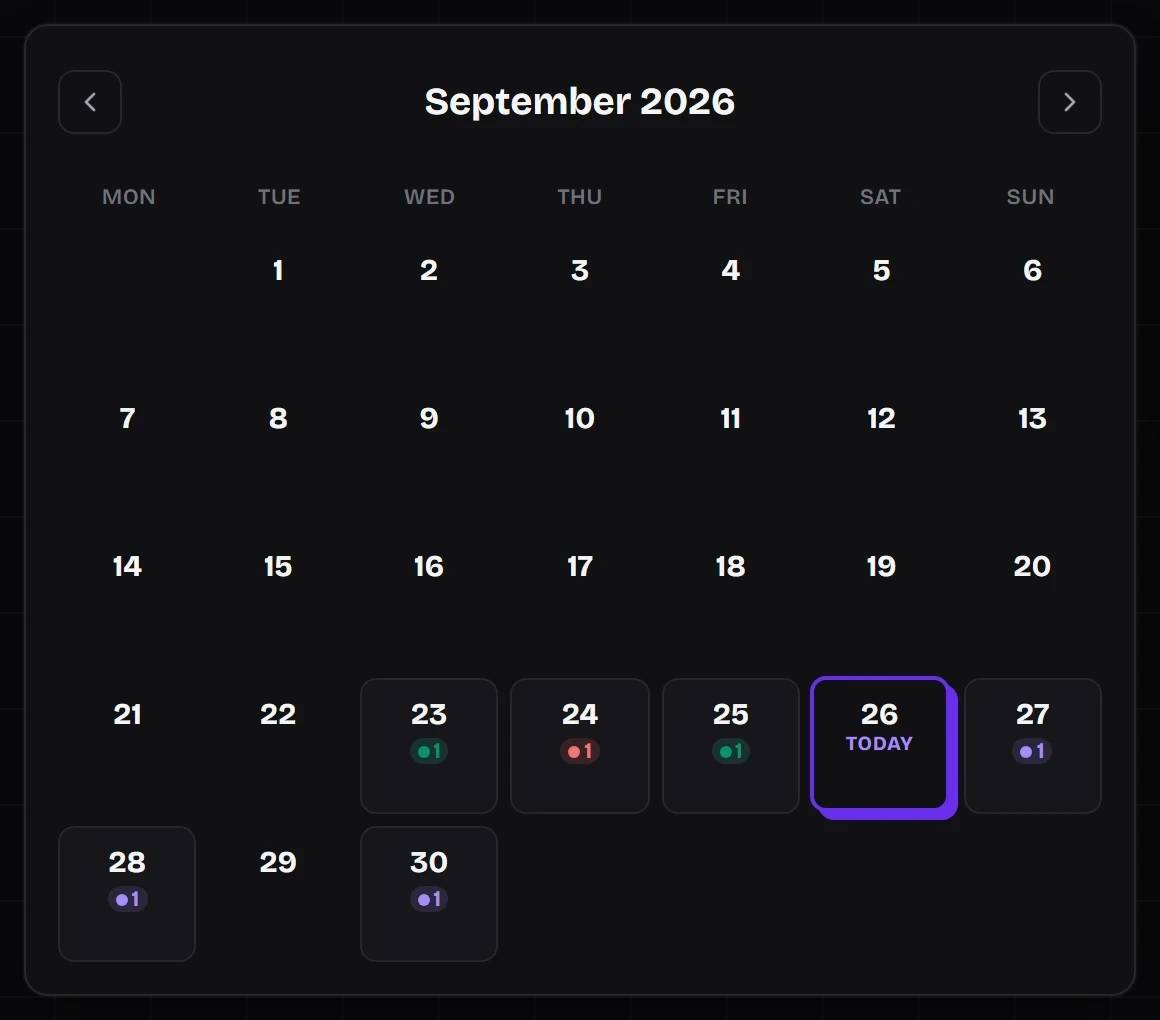
SkyyCast's queue view works well alongside this kind of planning: once your posts are scheduled, you can see the whole upcoming stretch at a glance, exactly what a content calendar is meant to give you.