
You can schedule a Bluesky thread, just not inside Bluesky. Bluesky has no native scheduling at all — it is real-time only — so a thread you want published at a set time has to go through a third-party tool that builds the reply chain and posts it for you. This is how that works, which tools do it, and the checks that stop a scheduled thread from going out broken. It is a step beyond scheduling ordinary posts, which more tools support.
Why a thread is harder to schedule than a single post
A Bluesky thread is a chain of replies: the first post is the root, and every post after it replies to the one before. To schedule that, a tool has to publish post one, wait for its identifier, publish post two as a reply to it, and so on down the line. There is more to go wrong than with a single post — if the tool fails partway, you can end up with the hook live and the rest missing. And each post in the chain still has to fit Bluesky's 300-character limit on its own.
Because of that limit, most tools make you break the thread into 300-character posts yourself. A few will auto-split a long block, but the split points are rarely where you would put them, so it is worth doing by hand.
What scheduling a thread actually does
Two models are common. Most tools publish the whole chain at the scheduled minute, one reply after another in quick succession, so it reads as a normal thread. A few — Fedica among them — let you stagger the posts, releasing each reply at a spaced interval so the thread unspools over minutes or hours. Staggering can help a long thread breathe, but a gap between replies also gives readers a place to drop off, so most threads are better posted in one go. Either way, publishing is genuine auto-post: because the AT Protocol allows it, the tool posts on your behalf with no “tap to confirm” step.
Tools that schedule Bluesky threads
Not every scheduler handles threads, so check before you commit:
- Typefully is built around writing and scheduling threads, with Bluesky as one of its native targets. Best if threads are your main format.
- Buffer supports Bluesky threads through a “Start thread” control, up to around 25 connected posts, on a usable free tier. Buffer's guide walks through it.
- Fedica has a thread maker with spacing controls between replies, so you can stagger a thread as well as post it all at once.
- Publer, ContentStudio, and others also schedule multi-post Bluesky threads; Publer's help doc is a clear example of the workflow.
Pick based on how you work: a thread-first writing tool if you mostly publish threads, a broader scheduler if you are managing several accounts or networks at once. Whichever you choose, confirm it schedules threads specifically, not just single posts — several popular Bluesky schedulers still only do the latter.
How to set one up
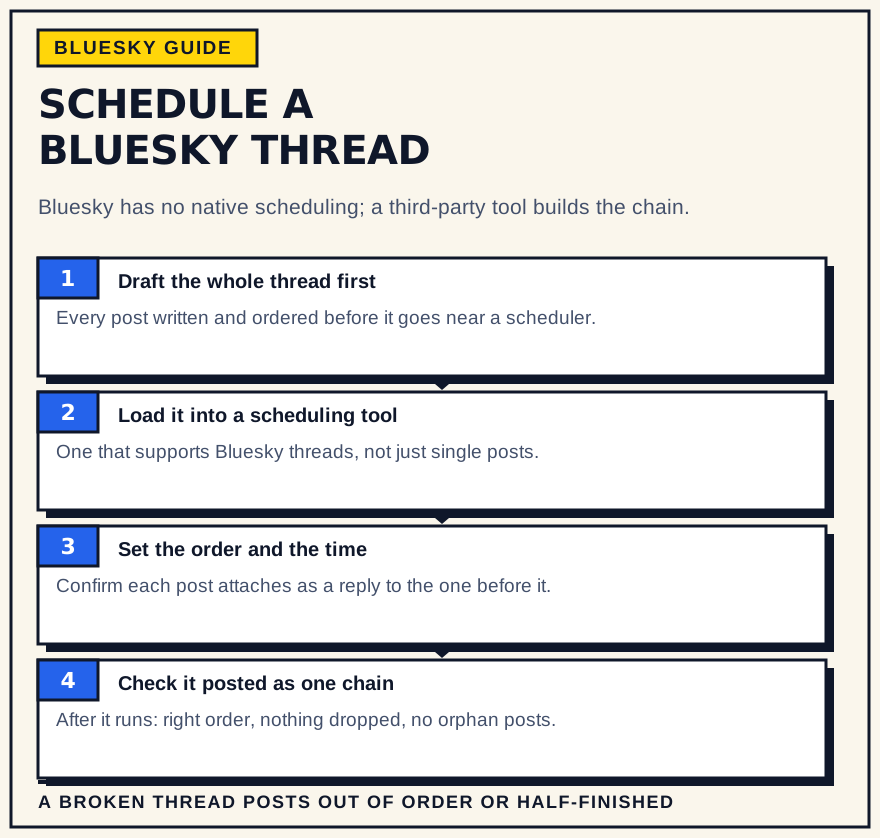
The steps are much the same across tools:
- Connect your Bluesky account. Most tools ask for an app password, generated in Bluesky's settings, rather than your real password.
- Start a thread, not a post. Use the tool's thread or “add to thread” control so each entry is linked as a reply, not published separately.
- Keep every post under 300 characters. That includes the full URL of any link, since Bluesky does not shorten them.
- Set the date and time in your audience's timezone. Not your own, if the two differ.
- Choose all-at-once or staggered, if the tool offers it. All-at-once is the default and usually the right call.
- Keep a copy of the text outside the tool. Until the thread has posted in full, treat the scheduler as the draft, not the archive.
- Preview the whole chain, then schedule. Read it top to bottom the way a reader would before you confirm.
A pre-schedule checklist
- The hook post earns the rest. It is the one most people will see. If it does not work on its own, fix it before scheduling.
- Link placement. Put the important link in the post text of the first or last post, not buried in the middle.
- Alt text on every image. It does not count against the character limit, and Bluesky's community expects it.
- Reply controls, if you want them. Set who can reply while you compose; it is awkward to change for a whole thread afterward.
- Proofread now. Editing a live thread means deleting and re-posting, which breaks replies people have already left.
Schedule the whole thread, or just the hook?
For an evergreen thread, scheduling the entire chain is fine. For anything tied to a moment — a reaction, a launch, news — consider scheduling only the first post, or posting it live, then adding the rest once you have seen how the hook lands. It is less hands-off, but it lets you adjust or abandon the thread if the opener falls flat, which you cannot do once the whole sequence is queued.
If a scheduled thread breaks
Check the thread shortly after its scheduled time. If only the first post or two went out, you have two clean options: finish it by replying manually, or delete the partial thread and reschedule the whole thing. Keep the text saved somewhere outside the tool until you have confirmed it posted in full, so a failure never costs you the writing.
The bottom line
Scheduling a Bluesky thread is scheduling a sequence: the tool handles the reply-chaining, and you handle the 300-character discipline, the timezone, and a quick check once it is live. If threads are a regular part of your posting, a thread-capable scheduler earns its place the same way scheduling single posts does — by turning a batch of writing into weeks of consistent output without you being at the keyboard each time.