
Every response your server sends starts with a three-digit status code, and a search-engine crawler acts on it before it looks at the content. Most of the codes never need your attention. A small set changes whether a URL gets indexed, which version of a page is treated as canonical, and whether a page quietly disappears from search results. These are the ones worth knowing.
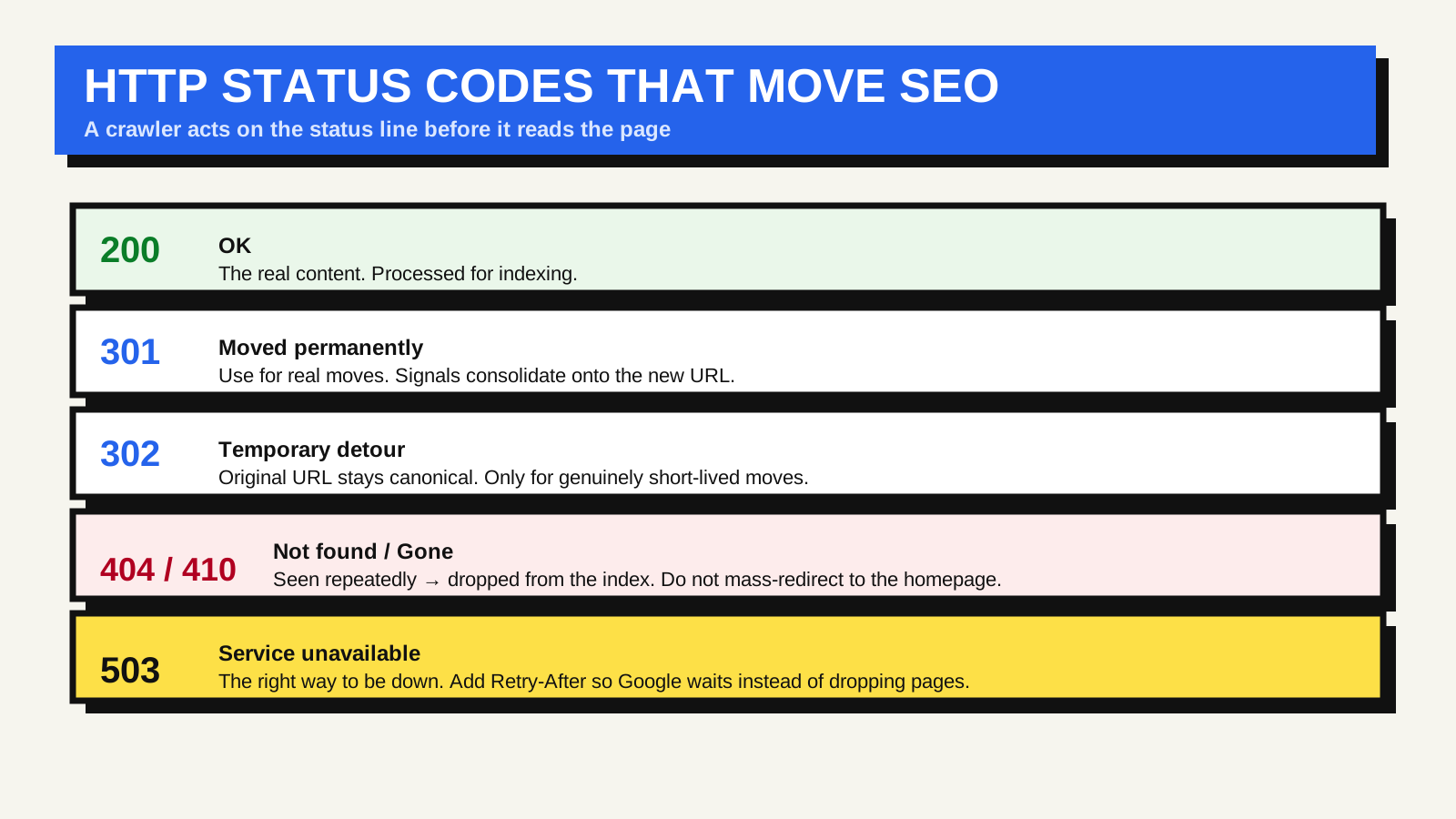
200 OK: the normal case
A 200 means the request succeeded and the body is the real content. Googlebot takes the response, renders it, and considers it for indexing. There is nothing to do here except make sure the pages you want indexed actually return 200 — and that pages you do not want indexed are handled with a robots directive or a noindex tag, not by returning an error.
301 vs 302: permanent vs temporary is a real distinction
A 301 (Moved Permanently) tells Google the page has a new home for good. Google follows it, and the 301 is a strong signal to treat the destination as the canonical URL and to consolidate ranking signals onto it. Use it whenever a URL changes permanently: a new slug, HTTP to HTTPS, a site restructure, merging two pages.
A 302 (Found, often described as “temporary”) says the real page is still at the original URL and this detour is short-lived. Google follows a 302 too, but it keeps the original URL in mind as the one that matters. If a 302 stays in place long enough, Google may eventually treat it like a 301 — but relying on that is worse than just using the right code. Reach for 302 only when the move genuinely is temporary: a maintenance placeholder, a short promotion, an A/B test.
404 and 410: how to remove a page
A 404 (Not Found) is the correct response for a URL that has no content. When Google sees a 404 consistently, it drops the URL from the index. A 410 (Gone) means the same thing with more certainty — “this is deliberately removed and not coming back” — and Google may process it a little faster. In practice the end result is the same, so 404 is fine for most cases and 410 is a reasonable choice when you are certain.
What you should not do is redirect every deleted page to the homepage. Google often treats an irrelevant redirect as a soft 404 — a page that claims success but has no matching content — which wastes crawl attention and can leave the old URL in limbo. Redirect a removed page only to a genuinely equivalent replacement; otherwise let it 404.
503: the right way to be down
If your site is temporarily unavailable — planned maintenance, a deploy, an overloaded server — return a 503 (Service Unavailable), ideally with a Retry-After header. This tells Google the outage is temporary, so it should pause and come back rather than start dropping pages. Returning a 200 with an “under maintenance” message, or a 404, during downtime is the mistake: Google may index the placeholder or begin removing real pages.
A short decision guide
- Page moved for good → 301 to the new URL.
- Page gone, with a close replacement → 301 to that replacement.
- Page gone, no replacement → let it return 404, or 410 if you are certain.
- Genuinely temporary detour → 302.
- Whole site briefly down → 503 with Retry-After.
Mistakes that quietly cost indexed pages
- Soft 404s. A “not found” message served with a 200 status. Search Console reports these; the fix is to return a real 404.
- Long redirect chains. Each hop adds latency and Googlebot only follows so many per crawl. Point old URLs straight at the final destination.
- Using 403 to hide a page from search. Access-denied codes stop crawling but are not a clean way to deindex. Use noindex for that.
The authoritative references are Google’s own page on how HTTP status codes affect Google Search and its redirects guidance; MDN keeps a full list of HTTP response status codes if you need one outside an SEO context.
Status codes are one half of how a crawler understands your site; clean, stable URLs are the other half, and structured data is how you describe what is on the page once it is indexed.
FAQ
Does a 301 pass full ranking value to the new URL?
Google has said it does not lose PageRank through a 301 redirect, so the guidance is to redirect to the closest equivalent page and not worry about a dilution penalty. Redirecting to an unrelated page is the real risk, because it can be treated as a soft 404.
How long until a 404 page leaves Google?
It depends on how often Google recrawls the URL, which can be days to weeks. Seeing the 404 repeatedly is what triggers removal; a single crawl is not enough.
Should I use 404 or 410 for content I removed on purpose?
Either works. 410 signals more certainty and may be processed slightly faster, but a plain 404 reaches the same outcome, so there is no need to re-engineer your stack for it.