
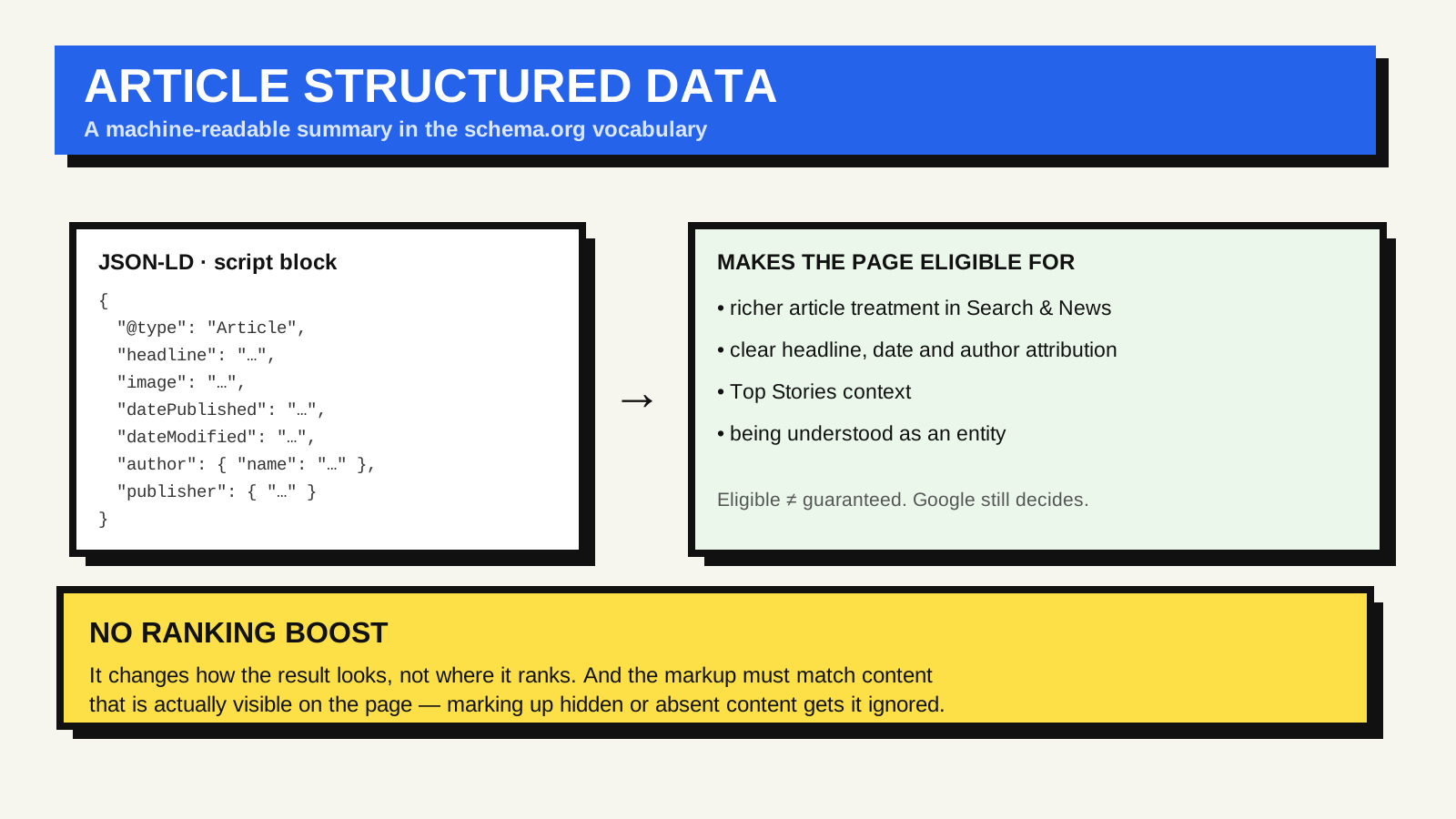
The single most common misconception about structured data is that adding it lifts your rankings. It does not. What it does is hand a search engine a tidy, machine-readable description of what the page is — its headline, author, publication date, main image — in a vocabulary the engine already understands. That can change how your result is displayed and which search features the page qualifies for, which is worth having, but it is a different thing from ranking higher.
What it is, concretely
Structured data is a small block of data that describes the page using the shared schema.org vocabulary — a set of agreed types and property names maintained by a group that includes the major search engines. For a blog post or news story the relevant type is Article (with more specific variants, BlogPosting and NewsArticle). You are essentially filling in a standard form: this is an Article, its headline is X, it was published on this date, the author is this person, the image is at this URL.
The recommended way to include it is JSON-LD: a script block in the page’s head or body containing the data as JSON, separate from the visible markup. Google states a preference for JSON-LD over the older approaches that annotate the HTML inline, mainly because it is easier to generate and keep correct.
What Google actually does with it
Valid Article markup makes a page eligible for richer presentation in Google Search and Google News surfaces — for example the article treatment in the news and Top Stories areas, and clearer attribution of headline, date and author. Eligibility is the key word: Google is explicit that structured data does not guarantee a rich result, only that the page can be considered for one. It also helps the engine understand the page as an entity, which feeds into how it is categorised.
The fields worth getting right
- headline — should match the visible title of the article, not a keyword-stuffed alternative.
- image — one or more URLs to a crawlable image that actually represents the article; multiple aspect ratios are better than one.
- datePublished and dateModified — in a standard date format, and honest. Faking a recent modified date to look fresh is the kind of thing that gets structured data distrusted.
- author — with a real name, and ideally a link to an author page or profile that also exists as a visible byline.
- publisher — the site or organisation, typically with a logo.
The mistakes that get it ignored
Google’s structured data policies are strict on one principle: the markup must describe content that is actually visible on the page. Marking up a headline the reader never sees, an author who is not credited anywhere, a rating that appears nowhere, or content hidden behind a tab or a click — all of it risks the structured data being disregarded, and in clear cases a manual action against the site.
The other common failure is simply invalid markup: a missing required property, a malformed date, an image URL that blocks crawlers. This does not hurt rankings, but it means the page gets none of the benefit.
How to check it
Run the page through Google’s Rich Results Test to confirm the markup parses and see which features it is eligible for. Once pages are live, Search Console’s enhancement reports flag structured-data errors across the site over time. Google’s Article structured data reference lists every supported property and the exact requirements.
Structured data sits alongside the rest of your technical foundation: semantic HTML so browsers and assistive technology understand the page’s regions, and correct HTTP status codes so it gets crawled and indexed in the first place.
FAQ
Do I need structured data for every page?
No. Add the type that matches the page: Article for posts and stories, and other types where they genuinely apply, such as product, recipe, or FAQ pages. A plain informational page with no matching rich-result type does not need any.
Will it give me a rich result?
It makes the page eligible for one. Whether Google shows it depends on the query, the page’s overall quality, and Google’s own judgement. Valid markup is necessary but not sufficient.
Does a CMS handle this for me?
Many content systems and SEO plugins output Article JSON-LD automatically. It is still worth running a few pages through the Rich Results Test, because auto-generated markup can drift out of sync with what is actually on the page.