
A canonical URL is the address you want search engines to treat as the official version of a page, when the same or nearly the same content is reachable at more than one URL. The rel="canonical" annotation is how you point the duplicates at that official version. It is one of the more useful and more misunderstood parts of technical SEO, mostly because it looks like a command and behaves like a suggestion.
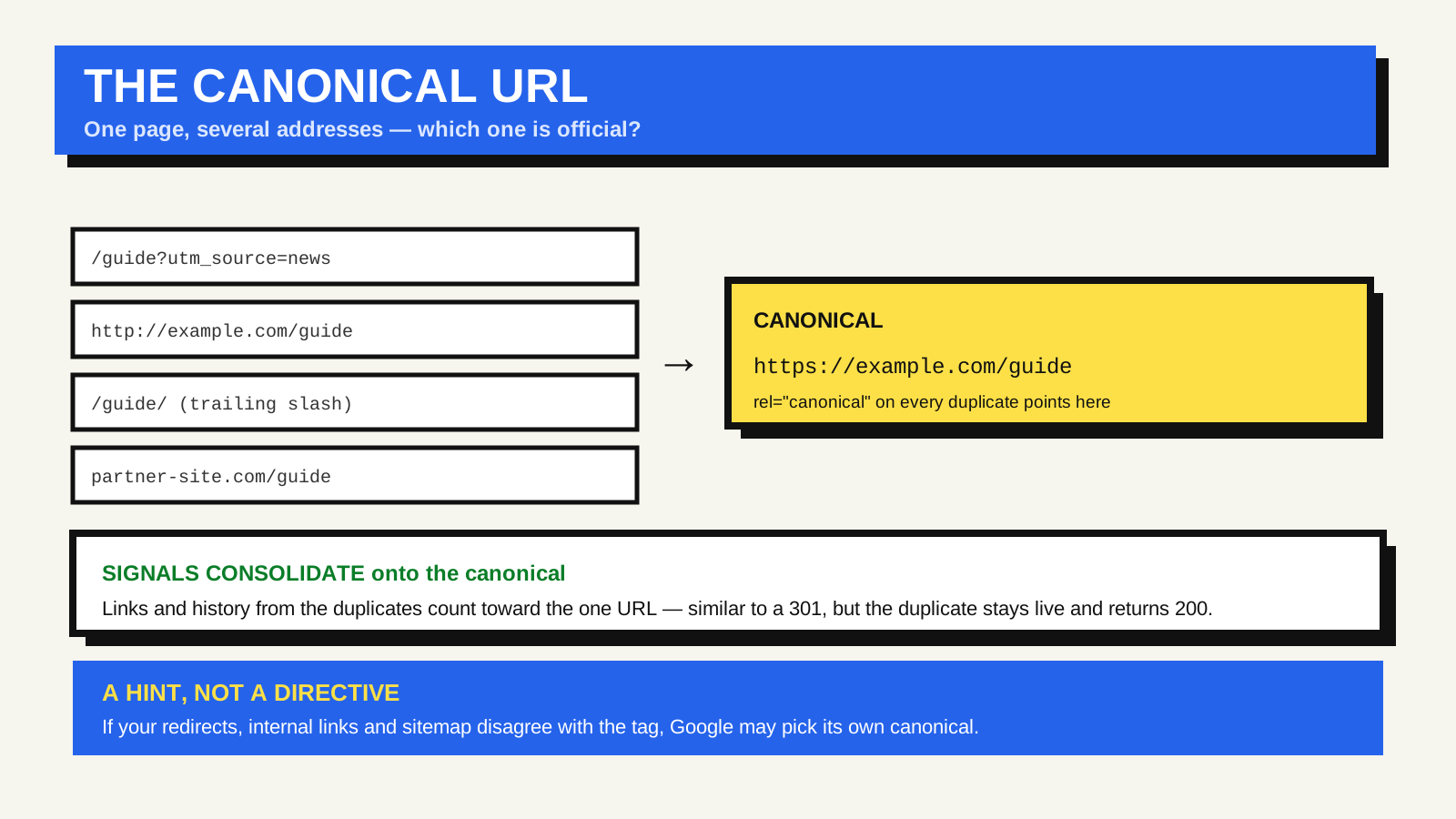
Why one page ends up with several URLs
Duplicate and near-duplicate URLs appear without anyone intending them:
- Tracking and filter parameters: /shoes, /shoes?utm_source=news and /shoes?sort=price all return the same page.
- Protocol and host variants: http and https, with and without www, if more than one resolves.
- Trailing slashes: /guide and /guide/ served as separate URLs.
- Alternate versions: a print page, a PDF, or the same article republished on a partner site.
Each of these splits the signals a page has earned — links, engagement history — across several URLs, and can leave search engines guessing which one to show. Many of them trace back to how addresses are put together in the first place, which the anatomy of a URL covers.
How to declare a canonical
There are a few ways to signal it, and they can be combined:
- A link element in the head: a rel="canonical" annotation on every duplicate, pointing to the preferred URL.
- An HTTP header: a Link header with rel="canonical", which is how you canonicalise non-HTML files such as PDFs.
- The sitemap: listing only canonical URLs is a weaker hint in the same direction.
The preferred page should carry a self-referencing canonical — a tag pointing at itself. That is expected and correct, not redundant.
A hint, not a directive
Google uses the canonical you declare as one strong signal among several — alongside redirects, internal linking patterns, and which version is in the sitemap. When those signals conflict, for example you canonicalise to URL A but link internally to URL B everywhere, Google may pick its own canonical. Consistency across all the signals is what makes the declared one stick; Google’s guide to consolidating duplicate URLs lays this out. It is also where canonical differs from a 301 redirect: a redirect sends users and crawlers to the other URL and returns a redirect status; a canonical leaves the duplicate reachable, returns 200, and only advises which URL to index.
Common mistakes
- Canonicalising every page to the homepage. This tells Google the pages are all duplicates of the homepage, and they fall out of the index.
- Pointing the canonical at a URL that redirects, is blocked by robots.txt, or returns an error. The signal is wasted.
- Putting canonical and noindex on the same page. Contradictory instructions that get resolved unpredictably.
- Relative URLs in the tag. Use the full absolute URL, including the protocol.
When you can leave it alone
A small site with clean URLs, one protocol, a consistent trailing-slash convention, and no syndication rarely needs to manage canonicals beyond a self-referencing tag, which most content platforms add automatically. It becomes worth real attention when you add faceted navigation, URL parameters, a store, or start republishing content elsewhere.
FAQ
Does a canonical tag pass ranking signals like a redirect?
When honoured, yes: Google consolidates the duplicate’s signals onto the canonical URL, much like a 301. The difference is that the duplicate stays live and reachable.
Can I canonicalise to a page on another domain?
Cross-domain canonicals are supported and are the standard way to handle syndicated content: the republished copy points its canonical at your original. The other site has to add the tag for it to work.
What if I have no duplicates at all?
A self-referencing canonical on each page is still good practice. It removes ambiguity if a parameter or variant appears later, and it costs nothing.