
A URL is a set of instructions for finding one specific thing on the internet, written in a fixed order. Once you know the order, you can read almost any web address and tell what each piece is doing — useful when you are debugging a broken link, deciding whether a link is safe to click, or tidying up messy URLs on your own site.
Here is a URL with every part in it:
https://shop.example.co.uk:443/catalog/shoes?colour=blue&size=9#reviews
Read left to right, that breaks into six pieces: the scheme, the host, the port, the path, the query string and the fragment. Most everyday URLs leave two or three of them out.
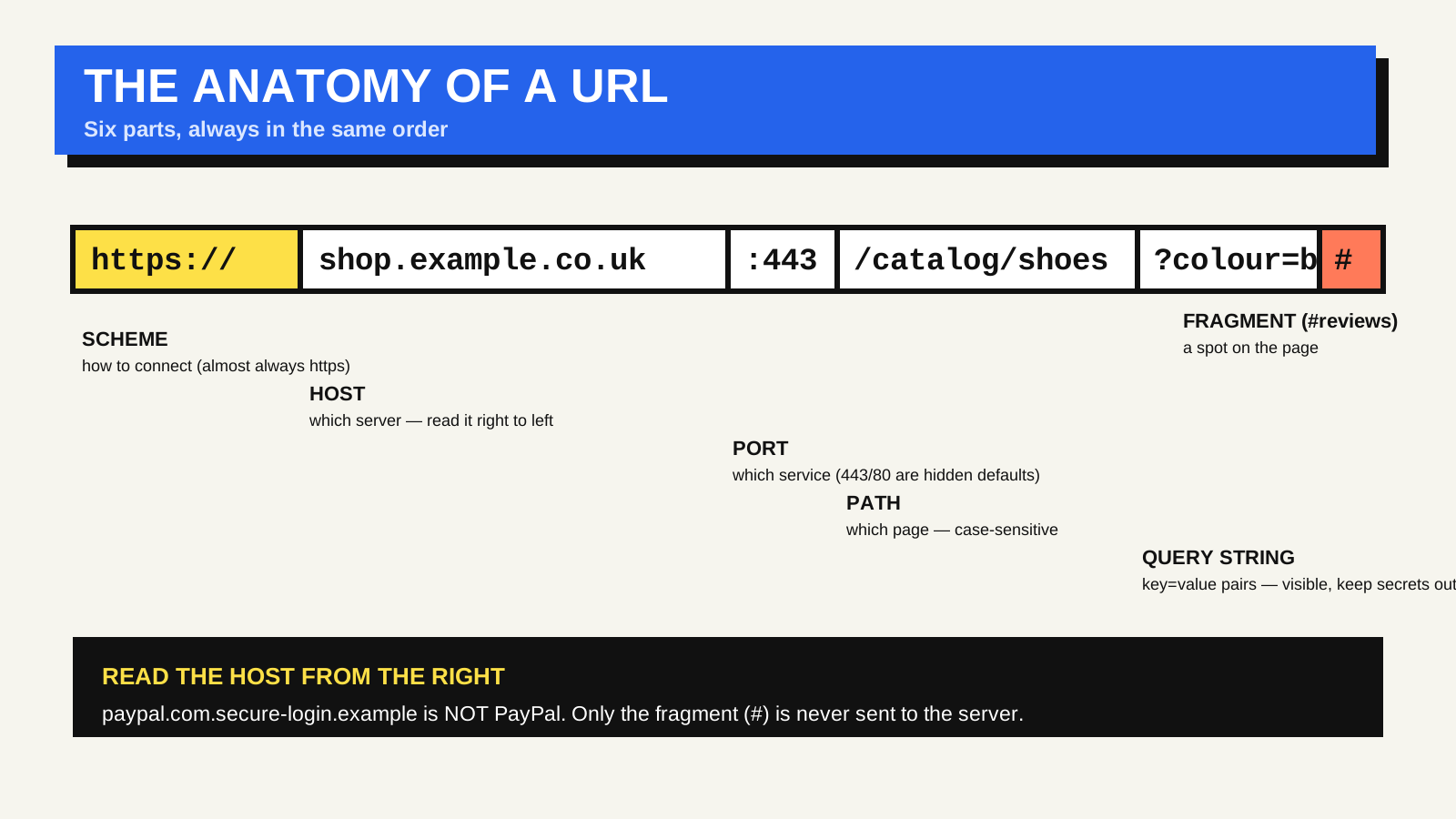
Scheme: how the browser should connect
The scheme — sometimes loosely called the protocol — tells the browser which rules to use for the connection. On the web it is almost always https, meaning the connection is encrypted in transit. Plain http still exists, but browsers now mark it “Not secure” and most sites redirect it straight to https. Other schemes you meet: mailto: opens an email client, tel: starts a phone call on mobile, and ftp: (now rare in browsers) is for file transfer. The :// after the scheme is a separator, not part of the name.
Host: which server to talk to
The host — also called the domain or hostname — is the address of the machine that holds the content. In terms of authority it reads right to left:
- uk is the top-level domain.
- co.uk is the registered domain suffix in this case.
- example is the part the site owner registered.
- shop is a subdomain — a subdivision the owner controls, like blog. or docs. or www.
www is itself just a subdomain by convention, which is why example.com and www.example.com can serve different content unless the owner deliberately points them at the same place.
A quick safety habit: when you are checking whether a link is genuine, read the host from the right. paypal.com.secure-login.example is not PayPal — the registered domain is example, and paypal.com is only a subdomain someone chose to look convincing.
Port: which door on the server
A server can run several services at once, and the port number picks which one. The web has defaults, so you almost never see it: 443 for https, 80 for http. A URL only shows a port when it is non-standard, which is common on development servers — localhost:3000, 127.0.0.1:8080.
Path: which resource on that server
The path points to a specific page, file or resource, and it is the part site owners shape the most. It often mirrors a folder structure, but on modern sites it is just as likely to be handled by application code that maps /catalog/shoes to a database query.
Paths are case-sensitive on most servers, so /Shoes and /shoes can be two different pages. Keeping paths lowercase, short and readable — words separated by hyphens — helps both people and search engines. A trailing slash (/catalog/shoes/) can also be treated as a different URL from the version without it, so pick one form and be consistent.
Query string: extra parameters
Everything after the ? is the query string: a list of key=value pairs joined by &. It passes extra information to the page without changing which page it is — filters, search terms, pagination, tracking tags. Two things are worth knowing:
- Order and duplication usually do not matter to the server, but they do to caches and analytics. ?a=1&b=2 and ?b=2&a=1 are the same request to most applications, but a CDN or an analytics tool may count them as two different pages. This is one reason campaign links with utm_ parameters can fragment your traffic reports.
- Query strings are visible and editable. They appear in browser history, server logs and referrer headers. Never put anything sensitive — a password, a token, a session ID — in a query string.
Characters with a special meaning (spaces, &, ?, #, non-Latin letters) are percent-encoded, which is why a space becomes %20 and “café” can appear as caf%C3%A9.
Fragment: a spot on the page
The fragment — also called the hash or anchor — is everything after the #. It is handled entirely by the browser and is never sent to the server. Its original job is to scroll to an element with a matching id, so #reviews jumps to the section whose id is “reviews”. Single-page apps also use the fragment to store view state without a server round trip, which is why you sometimes see URLs like example.com/#/dashboard/settings.
Putting it back together
- Scheme (https://) — set by the site via redirects; not sent as data.
- Host (shop.example.co.uk) — controlled by the domain owner; sent to the server.
- Port (:443) — set by the server admin; sent to the server; usually hidden.
- Path (/catalog/shoes) — set by the site’s routing; sent to the server.
- Query (?colour=blue) — set by the link, form or app; sent to the server.
- Fragment (#reviews) — controlled by the browser; never sent to the server.
The formal rules for all of this live in the WHATWG URL Standard, which is what browsers actually implement, and MDN’s guide to what a URL is covers the same ground with more examples.
Why this matters for your own site
If you run a website, the two parts you shape every day are the path and the query string. A few habits pay off: keep paths lowercase and descriptive, decide once whether you use trailing slashes, avoid exposing internal database IDs where a readable slug would do, and strip unnecessary tracking parameters before you publish a link. Clean URLs are easier to share, harder to break and less likely to confuse the tools that measure your traffic — a theme that comes up again in how HTTP status codes affect SEO.
FAQ
Is a URL the same as a URI or a link?
Close enough for everyday use. A URL is a type of URI that also tells you how to locate the resource. “Link” usually means a clickable URL inside a page.
Why do some sites use www and others do not?
www is an optional subdomain. A site can serve content on the bare domain, on www, or redirect one to the other. It is a configuration choice, not a rule.
Are query strings bad for SEO?
Not inherently — search engines handle them fine. Problems come from many URLs showing the same content under different parameters, which you manage with canonical tags and by not linking to parameter-laden URLs internally.