
Bluesky's Trending Topics panel is a free, live read of what people on the network are posting about right now. Used carefully, it is a useful source of same-day post ideas. Used carelessly, it pulls you into commenting on things you have nothing to add to. Here is how the feature works, and how to mine it for ideas without turning your account into a trend-chasing feed.
How Bluesky's trending topics work
Bluesky added Trending Topics in late 2024 and still calls it an early version. You find it in the right sidebar on desktop, or by tapping the search icon on mobile, where the Search page shows “Trending” and “Recommended” topics as tappable bubbles. The two lists differ: “Trending” is network-wide, “Recommended” is tuned more to your interests. Tapping one opens posts and discussion about that topic. You can switch the feature off entirely in Settings, under Content and Media, and any words on your mute list are excluded from it. For now it runs in English only.
Bluesky has not published how the list is calculated. Its own 2026 roadmap post says custom feeds “power our trending topics system,” and functionally the panel surfaces terms and phrases that are spiking in posts across the network. Treat it as a rough, real-time gauge of attention, not a precise ranking.
What trending can and can't do for you
What it can do: show you which conversations your audience might be having today, and hand you a topic that already has people browsing it. What it cannot do is guarantee your post is seen. A trending topic opens a pool of posts shown largely newest-first, so a late entry or a generic one sinks immediately. Posting into a trend is exposure to a surface people are looking at — it is not an algorithmic boost, and Bluesky has not said it is one. In practice, the posts that do well in a trend are early and add something — a fact, an angle, a link — rather than just restating the topic.
The other limit is relevance. A topic trending network-wide is not automatically relevant to your account. “A lot of people are talking about this” and “I have something worth saying about this” are different questions, and only the second one should get you to post.
The filter: only use trends that cross your lane
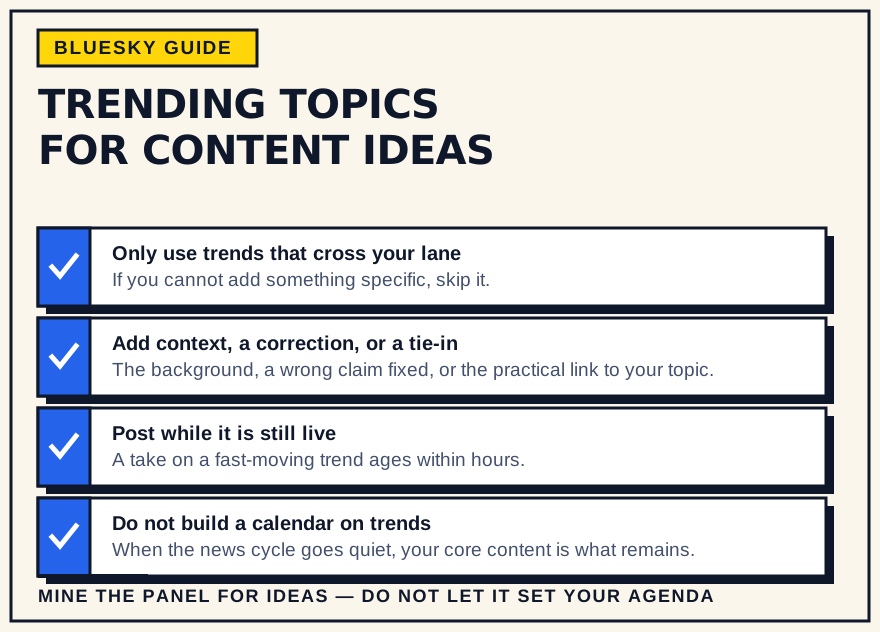
Before you engage a trend, apply one test: could you say this thing with no trend attached, from your actual perspective or expertise? If the honest answer is no, skip it. A cooking account jumping on a trending political fight adds noise; the same account on a trending food-safety recall adds real value. The trends worth your time are the ones where your normal subject and the moment genuinely overlap.
Turning a trend into a post idea
When a trend does fit, the useful shapes are specific:
- The context. “Here is what is actually going on,” for readers seeing headlines without background.
- The correction. A common claim in the trend that is wrong, and the accurate version.
- The tie-in. How the trend connects to what you normally cover, with something practical to take away.
- The resource. A link, guide, or explainer that helps people engaging with the topic.
- Your genuine take, if you have one that is more than a reaction. A bare hot take on a fast-moving topic ages badly and rarely travels.
Avoid the obvious traps: tragedy or breaking news you cannot add to, and framing written to provoke rather than inform.
Timing
Trends move in hours, and the topic view is mostly chronological, so speed and specificity beat a polished post that lands a day late. If you are a little late, replying into an already-active thread on the topic can still reach people, where a fresh standalone post would not. If you cannot get something concrete out the same day, let the trend go — there will be another one, and a stale take is worse than silence.
Use it without chasing it
Keep most of your calendar as your core topics, and reserve a small share of slots — a fifth or so — for timely posts. Check trending once, when you sit down to write, rather than watching it all day. The calmer sources are often better: the “Recommended” topics are more tailored than raw “Trending,” and your own niche feeds show what your specific corner is discussing without the network-wide noise. When a trend does spark an idea, drop it into your idea list and slot it in like any other post.
For a steadier read of what is active in your niche — which accounts, which sub-topics — research tools such as Bluesky's Attie are built for that kind of question, where Trending Topics only shows the network-wide surface.
What to watch out for
- Ragebait framing. If your draft's main move is outrage, it is engagement-bait, not a contribution.
- Pressure to comment outside your lane. You do not owe every trend a post. Silence on a topic you do not cover is fine.
- Mute-list gaps. Muted words are filtered, but a distressing topic can still appear under a synonym. Turn the feature off for a while if you need to.
- A calendar built on trends. When the news cycle goes quiet, a trend-dependent account has nothing. Your core content is what does not run out.
Bottom line
Trending Topics is a cheap daily signal, not a content plan. Skim it once, look for the one or two conversations where your usual subject genuinely meets the moment, post something specific quickly, and go back to the work that fills most of your calendar. It costs a minute a day and, done with discipline, keeps your account current without letting the news cycle set your agenda.