
The most useful Bluesky feeds are not a fixed list — they are the two or three that match your interests, plus a couple of structural ones almost everyone benefits from. Specific feed names come and go: creators abandon them, rename them, or replace them. So this is less a ranking than a guide to which kinds of feed to pin and how to pick the current best one in each. The categories that matter are stable even when the names are not.
Start with the built-ins
Bluesky ships two feeds. Following is strictly chronological — every post from the accounts you follow, in order, nothing ranked or hidden. Discover is Bluesky's algorithmic mix of your network plus wider trending posts. You can reorder or unpin either from the Feeds tab; whichever feed sits first in your pinned list becomes your default. Some people prefer a community-made feed such as “For You,” which ranks posts by finding accounts that liked what you liked — worth trying next to Discover to see which reads better for you.
Feeds worth having whatever your niche
A few feeds solve problems that apply to any account:
- A close-network feed. “Quiet Posters,” a feed run by the Bluesky team, surfaces posts from people you follow who post rarely, so they do not get buried under the heavy posters. Feeds in the “Popular With Friends” or “Best of Follows” style show trending posts from your own follows — a gentler version of Discover. Between one of these and Following, you cover “what the people I care about are saying” without scrolling for it.
- A news or current-events feed, if you follow the news at all. Community feeds aggregate posts from journalists and outlets so you are not relying on the timeline to catch a story.
Search these by name in the app before pinning — exact feeds and their maintainers change over time.
The kinds of feed you'll run into
When you browse, feeds fall into a few types, and the type tells you how stable it is likely to be:
- Keyword or hashtag feeds. Everything on the network matching a term. Fast-moving and only as good as the term — sharp for a specific tag, noisy for a common word.
- Curated-list feeds. Posts from a fixed set of accounts a person maintains. Higher signal, but only as current as the maintainer keeps the list.
- “Top” or engagement feeds. Ranked by likes or reposts over a window. Good for a weekly catch-up, weak for real-time.
- Personalized feeds. Built from your own follows and likes — Discover, “For You,” “Popular With Friends.” No two people see the same thing.
Find the feed for your actual interest
For your main topic, the fastest route is the Feeds tab, then “Discover New Feeds,” then a search for your subject. Outside the app, Bluesky Directory and Goodfeeds catalogue community feeds by category, with subscriber counts and reviews, which makes it easy to compare a few candidates. Directory listings can lag reality, so treat a promising entry as a lead to check in the app, not a guarantee it is still active. It also helps to look at which feeds well-followed accounts in your niche have pinned.
If nothing fits, you can build one with a no-code tool, or describe what you want to Bluesky's Attie and have it assemble one.
How to vet a feed before you pin it
- Read the description. It should say what the feed includes and excludes, and whether it runs on keywords, a curated list, or an algorithm.
- Scroll the last screenful. Is it recent and on-topic, or full of spam and off-subject posts?
- Check who runs it and whether it looks maintained. An abandoned feed slowly fills with noise.
- Watch it unpinned for a few days before you commit a home-screen tab to it.
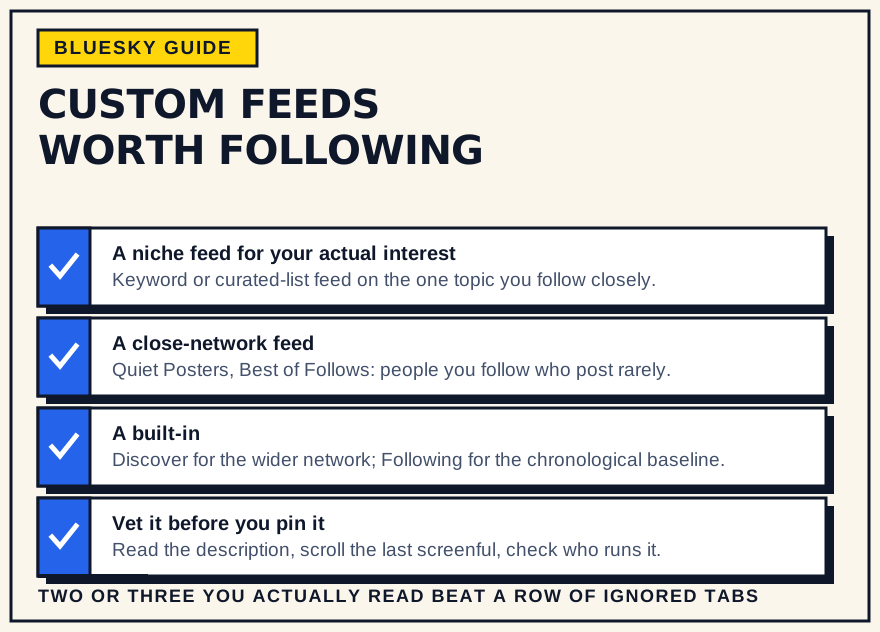
- Keep the number small. Two or three feeds you genuinely read beat a row of pinned tabs you ignore.
A sensible starting set
For most people: keep the built-in you prefer as your default, pin one feed for your main topic, and pin one close-network feed so quiet accounts stay visible. Add a news or second topic feed only if you will read it. Then re-check every few months — feeds get abandoned or renamed, and better ones appear. Glancing at your niche feed is also a cheap way to see what your area is discussing, which feeds straight into planning what to post and can sit in your normal routine.
About “top feeds” lists
Directory rankings are sorted by likes or subscriber count. That tracks popularity, not fit. A feed with a few hundred subscribers built around your exact niche is often more useful than a general feed with a hundred thousand. Subscriber counts also lag — a feed can be huge and barely maintained, or small and excellent. Use the rankings to discover options, not to decide.
Bottom line
Do not collect feeds. Pin the built-in you like, one feed for your niche, and one that keeps your close network visible, then check a directory now and then to swap in something better. That covers almost everything custom feeds are good for, without turning your Feeds tab into a graveyard.