
On Bluesky, custom feeds are the main way people discover accounts they do not already follow. For a long time, running one meant writing a small server — a feed generator — and keeping it online yourself. That is no longer the only path. A handful of no-code tools now handle the technical part for you, so building a keyword or list feed is closer to filling in a form than to programming. This guide covers what actually happens when you build a feed, which no-code tools to use, and how to make a simple keyword feed step by step.
What building a feed actually involves
A Bluesky feed is produced by a feed generator: a service that receives a request from Bluesky and returns a list of posts, with the selection logic entirely up to whoever built it. Publishing a feed adds a small record to your Bluesky account that points at that service. From then on, anyone can subscribe, and Bluesky asks the service for posts whenever someone opens the feed.
The catch is that the service has to stay online. If it goes down, subscribers see a “failed to load feed” error instead of posts. Self-hosting makes that uptime your problem. No-code builders solve it by running the generator on their own infrastructure — you configure the rules, they keep the lights on. That trade is the whole reason these tools exist.
The no-code options
SkyFeed is the tool most people start with. It is free, open-source, and built around a visual block editor: you add an input block for where posts come from, stack filter blocks on top, and watch the result update live. It handles plain keywords, full regular expressions, Bluesky Lists, language filters, and engagement thresholds. Bluesky has featured it as a community project. A maintained version runs at skyfeed.eu, with a “classic” build at skyfeed.app; a small monthly tier adds feed statistics, but building and publishing feeds costs nothing.
Graze is the more business-oriented choice. It is a venture-backed startup with a visual builder, templates, multi-filter logic, and analytics, plus tools for feed operators who want to add ads or subscriptions later. It has free and paid tiers. If you expect your feed to get large, or you care about monetising it down the line, Graze is built for that; for a personal niche feed, it is more than you need.
Bluesky Feed Creator is a lighter third option, focused on keyword feeds and on turning saved-post collections, public lists, or starter packs into feeds. And Bluesky's own AI assistant, Attie, can now assemble a feed from a plain-language description — still in beta, but a genuine no-configuration route if you can get access.
For most people the honest recommendation is simple: start with SkyFeed, keep the feed narrow, and move to Graze only if it outgrows a hobby.
How to build a keyword feed, step by step
The details differ by tool, but the shape is the same. Using SkyFeed as the example:
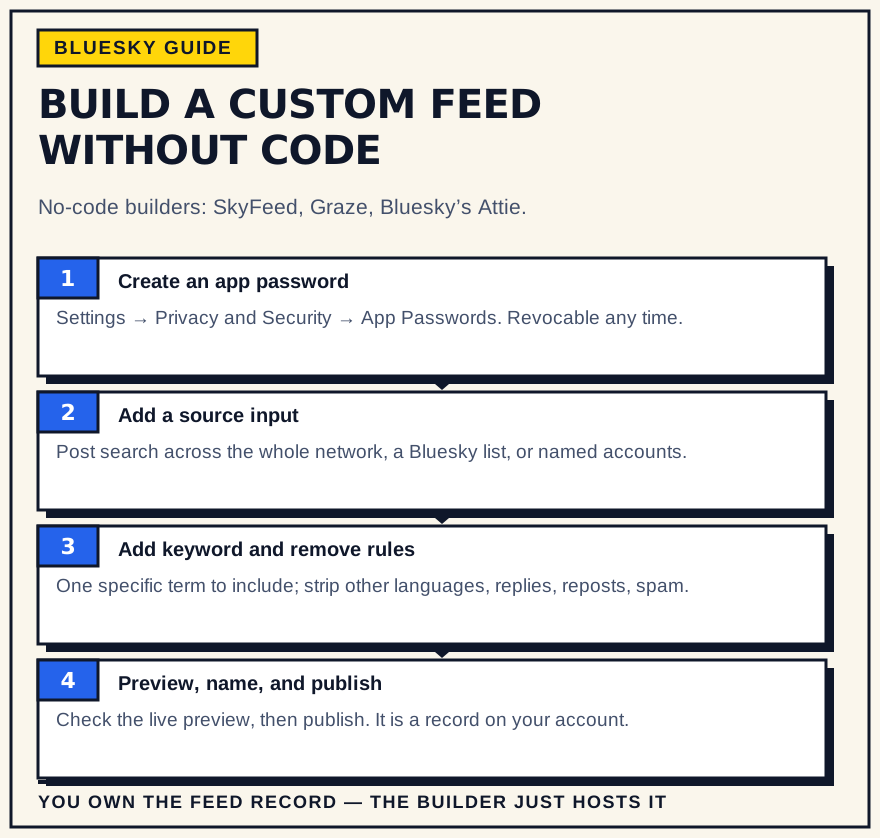
- Create an app password. In Bluesky, open Settings, then Privacy and Security, then App Passwords, and generate one. You paste this into the builder instead of your real password, and you can revoke it at any time.
- Sign in and start a new feed. Open the builder, log in with your handle and the app password, and choose to create a new feed.
- Add an input block. This is your source. A post-search input pulls from the whole network; you can also draw from a Bluesky List, your own follows, or a specific set of accounts.
- Add a keyword or regex filter. Enter the exact term, phrase, or pattern the feed should match. Start with one specific term — broad words fill a feed with noise fast.
- Add remove rules. Exclude what you do not want: other languages, replies, reposts, known spam phrases, or accounts on a blocklist. This is also where basic moderation happens.
- Set the sort order. “Latest” produces a chronological feed; a “top” sort ranks by likes or reposts over a window. Chronological is the usual choice for a niche feed.
- Preview, name, and publish. Check the live preview against what you expected, give the feed a clear name, description, and avatar, then publish. It now exists as a record on your account, and anyone can pin it.
From there, pin it yourself, share the link, and submit it to feed directories so people in the niche can find it. A feed is also easier to trust when its creator is active in the same space, so it pairs naturally with a steady posting routine in that topic.
What the building blocks do
Across tools, you are combining a small set of pieces:
- Input / source. The whole network, a list, your follows, or named accounts.
- Keyword and regex match. Include posts containing a term or pattern; regex lets you match variations or whole-word boundaries.
- Remove / blocklist. Strip out languages, replies, reposts, phrases, or specific accounts.
- Engagement threshold. Require a minimum number of likes or reposts before a post qualifies.
- Sort. Chronological, or ranked by engagement over a set time window.
Before you publish
- The feed depends on its host. If SkyFeed or Graze has an outage, your subscribers get loading errors until it is back. That is the price of not self-hosting, and for a personal feed it is a fair one.
- Moderation is your job. You decide what the filters let through. Bluesky's community guidelines still apply to a feed you operate, so exclude spam and abusive terms from the start.
- Narrow beats broad. A feed for one specific topic, tag, or community stays useful. A feed for a common word becomes unreadable within a day.
- You own the record, not the tool. The feed record lives on your account. You can edit or delete it, but moving between hosts means republishing, and subscribers may need to re-add it.
The bottom line
Running a Bluesky feed no longer requires code. Decide what the feed is for, pick a tool — SkyFeed for most cases, Graze if it may grow — and build it from a narrow keyword or a curated list. The technical parts are handled for you. The judgement calls — what to include, what to filter, how tightly to scope it — are what decide whether anyone keeps the feed pinned, the same way showing up consistently is what makes an account worth following.