 SkyyCast
You can build a working web page entirely out of div and span elements. Browsers will render it, and with enough CSS it can look identical to a page built from header, nav, main, article and footer. The difference is not visible — it is in what the markup means to everything that is not a sighted person looking at the screen.
“Semantic” HTML simply means choosing the element that describes what a piece of content is, rather than a generic container you style into shape. That choice pays off in four practical ways.
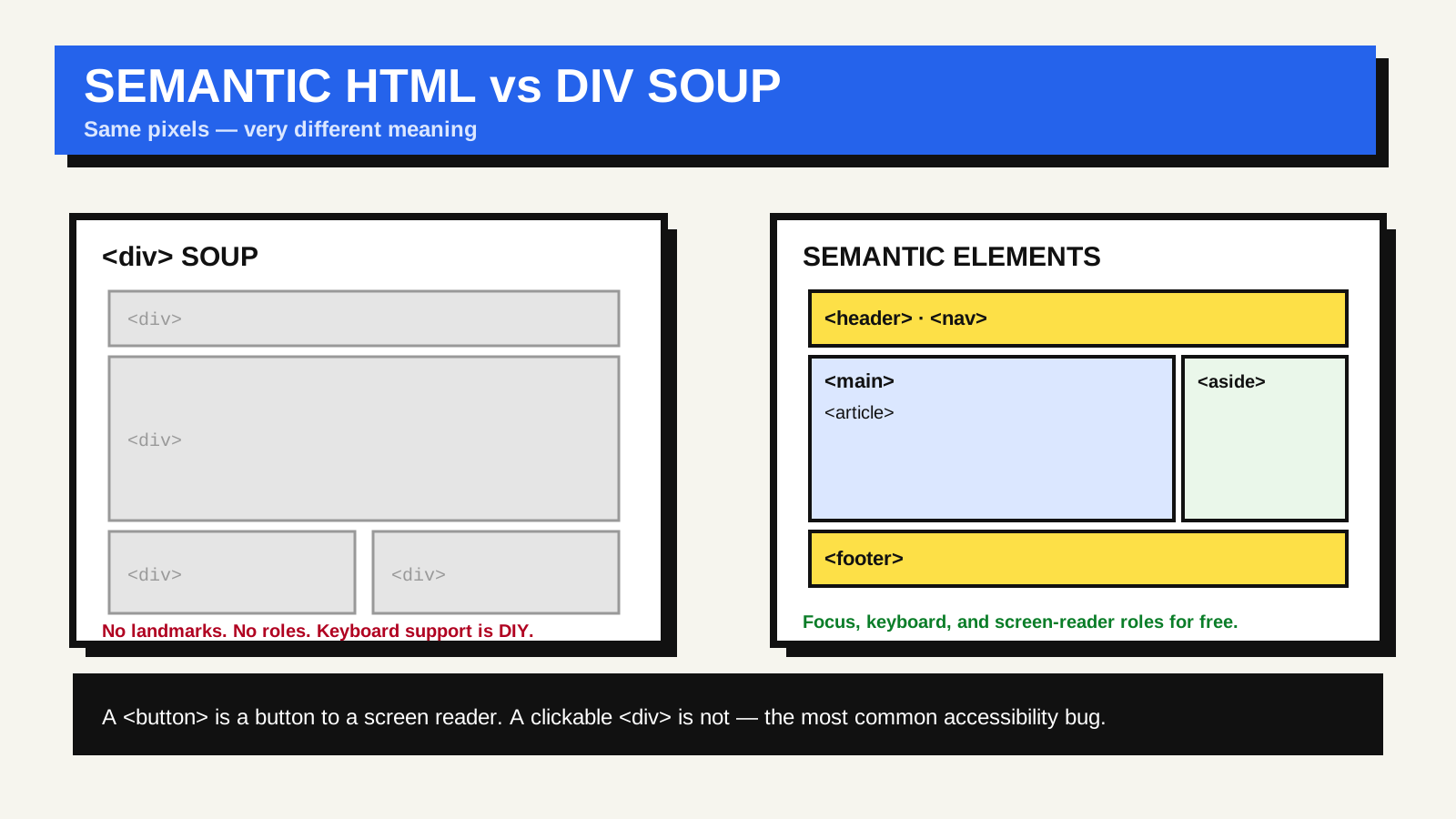
What the right element gives you for free
Built-in behaviour and accessibility. A button is focusable with the keyboard, activates on Enter and Space, and announces itself as a button to a screen reader. A div with a click handler does none of that until you add a role, a tabindex and keyboard event handling by hand — and people routinely forget one of those. The native element is that behaviour, already tested and consistent across browsers.
Landmarks for navigation. Screen-reader users often move around a page by its regions: jump to the main content, to the navigation, to the footer. Those regions come from main, nav, header, aside and footer. A page made of unlabelled divs has no landmarks, so that entire navigation mode is unavailable.
A real document outline. Headings h1 through h6 form a structure assistive technology can list and jump between, the way a sighted reader skims subheadings. Skipping levels for visual effect — an h4 because it happens to be the right size — breaks that outline.
Resilience and clarity. Semantic pages degrade more gracefully when CSS fails, read more clearly for the next developer, and give search engines and reader-mode features a better idea of which part of the page is the actual article.
The elements you will actually use
- header and footer — introductory and closing content. They can appear once for the page and again inside an article.
- nav — a block of major navigation links. You do not need it around every group of links, only the primary ones.
- main — the primary content of the page. There should be exactly one, and it should not be nested inside article or aside.
- article — a self-contained piece that would make sense on its own: a blog post, a news story, a comment, a product card.
- section — a thematic grouping, normally with its own heading. If you only need a styling hook and there is no heading, a div is the honest choice.
- aside — content tangential to the main flow: a pull quote, related links, an advertising unit.
Common mistakes
- Using section as a generic wrapper. With no heading and no thematic meaning, it should be a div.
- Clickable divs and spans instead of button or a. This is the most common accessibility bug, and the one people notice first when the keyboard does not work.
- Several h1s chosen for size. Using one h1 per page is the reliable choice; use CSS for anything that just needs to look large.
- Reaching for ARIA roles to relabel elements. The ARIA authoring guidance is blunt about this: a native element with the behaviour you need beats a div with an ARIA role bolted on.
Checking your own page
Two quick checks catch most problems. Tab through the page with the keyboard only — every interactive thing should be reachable and operable, with a visible focus outline. Then view the page with styles disabled, or in a browser’s reader mode: the reading order and heading structure should still make sense. MDN’s “HTML: A good basis for accessibility” and the W3C’s landmark guidance go deeper.
There is a modest performance angle too: a smaller, well-structured DOM is cheaper for the browser to lay out and update, which feeds into Interaction to Next Paint. And semantic markup complements structured data: the HTML says what a region is, for browsers and assistive technology; the structured data says what an entity is, for search engines.
Common questions
Does semantic HTML improve SEO rankings?
Not directly, in the sense of a bonus for using article. Search engines do use HTML structure — headings, main content, links — to understand a page, and the clarity and accessibility benefits tend to correlate with pages that people and crawlers can use well. Treat it as good engineering rather than a ranking trick.
Is it ever fine to use a plain div?
Yes. div and span are the right choice when you genuinely only need a container for styling or scripting and no more meaningful element applies. The mistake is using them in place of an element that exists for the job.