
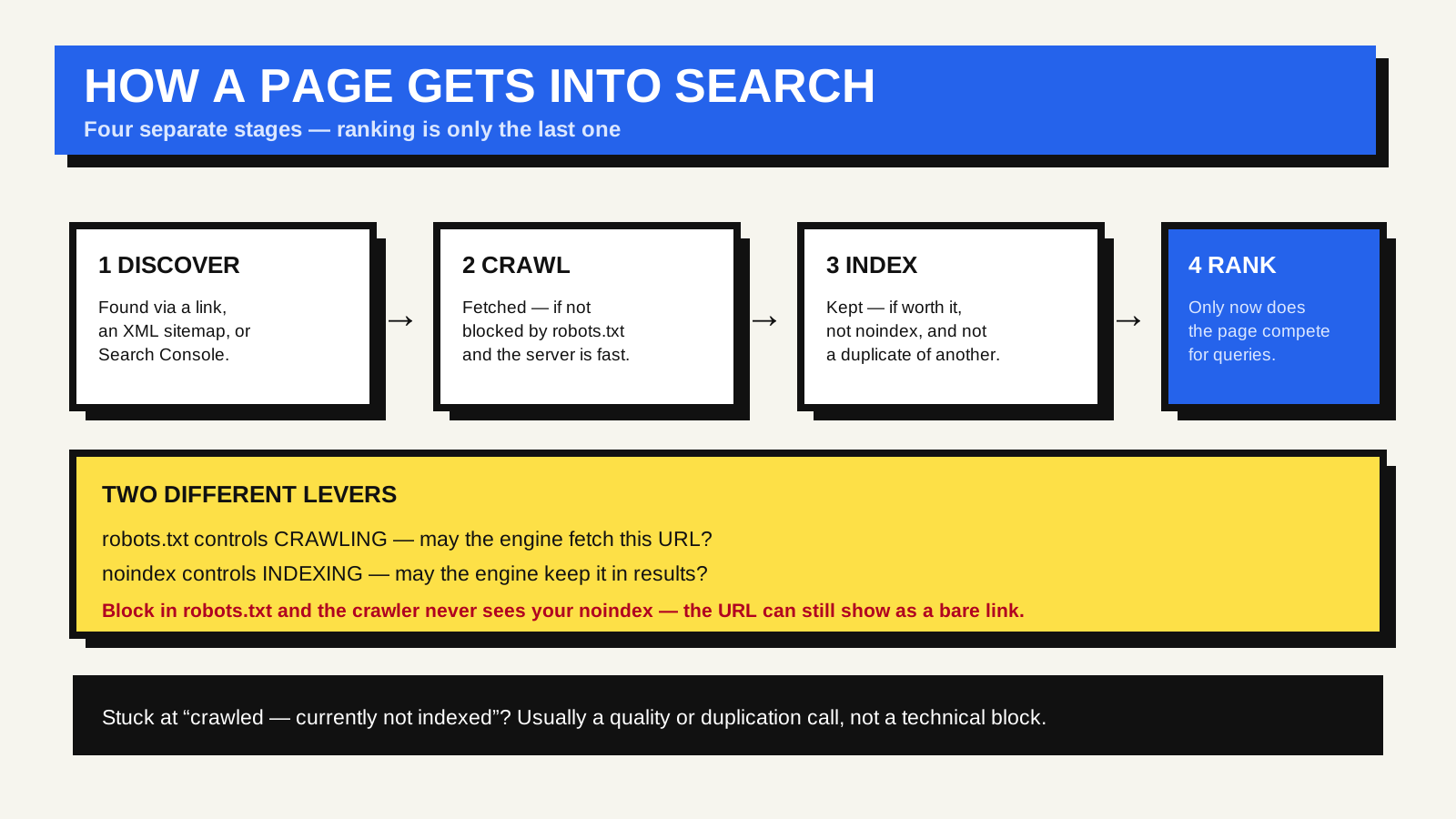
Before a page can rank for anything, a search engine has to know it exists, fetch it, and decide to keep it. Those are three separate steps — discovery, crawling and indexing — and ranking is a fourth thing that only happens afterwards, for pages that got through the first three. Most “my page isn’t showing up in Google” problems are actually a breakdown at one of the earlier stages.
How a page gets discovered
A search engine finds new URLs in a few ways. The main one is following links: it crawls a page it already knows, sees a link to a URL it does not, and adds that URL to its queue. It also reads XML sitemaps a site submits, and it accepts direct submissions through tools such as Google Search Console. A brand-new site with no inbound links anywhere can sit undiscovered for a long time, which is why the first steps for a new site are usually to submit a sitemap and earn at least one link from a page that is already indexed.
What helps a page get found and fetched
Internal links. A page that nothing links to internally is an orphan; the crawler has no path to it. Every page you want indexed should be reachable by following links from your homepage in a few clicks, and descriptive link text gives the crawler context about the destination. The links a crawler can follow are ordinary anchor elements with an href, not click handlers bolted onto other elements — one more reason to use the right element for the job.
An XML sitemap. A sitemap is a machine-readable list of the URLs you want crawled, in a standard format. It does not guarantee indexing, but it is the most direct way to tell a search engine about pages that are new, deep in the site, or not well linked yet. Most content platforms generate and update one automatically.
Not blocking it, and responding quickly. A URL disallowed in robots.txt will not be crawled. A slow server makes the crawler back off and fetch fewer pages per visit. Correct HTTP status codes matter here too — a crawler acts on the status line before it reads the content.
Crawling and indexing are not the same lever
This trips people up constantly. robots.txt controls crawling — whether the search engine may fetch the URL. A noindex directive controls indexing — whether the search engine may keep the URL in its results. They are different, and combining them wrongly backfires: block a URL in robots.txt and the crawler can never fetch it, so it can never see a noindex tag on it, and the URL can still surface in results as a bare link. To remove a page from the index, allow crawling and add noindex.
Checking and nudging
In Google Search Console, the URL Inspection tool tells you whether a specific URL is indexed, when it was last crawled, and which canonical Google chose. If a page is new or has changed significantly you can request indexing, which adds it to a priority queue — helpful, but not instant, and not a substitute for the page being properly linked and in the sitemap.
The Pages report in the same tool groups every known URL by status: indexed, or excluded with a reason — blocked, noindex, duplicate, soft 404, crawled but not indexed. That reason column is usually where the real answer to “why isn’t this page in Google” lives.
The order of operations, in short
- Discovered: a link or sitemap entry points to the URL.
- Crawled: the crawler is allowed to fetch it and the server responds well.
- Indexed: the content is worth keeping, it is not marked noindex, and it is not treated as a duplicate of another URL (see canonical URLs).
- Ranked: only now does the page compete for queries.
Google’s in-depth guide to how Search works and its sitemaps documentation are the primary references for all of this.
FAQ
How long does a new page take to appear in Google?
Anywhere from hours to weeks, depending on how often the site is crawled, how well the page is linked, and site quality. A well-linked page on a frequently crawled site is usually indexed within days.
Do I need to submit every page manually?
No. A working sitemap plus good internal linking handles discovery at scale. Manual submission is for one-off cases: a brand-new important page, or one you have just fixed.
My page says “crawled — currently not indexed.” What does that mean?
Google fetched the page but chose not to index it, usually a quality or duplication judgement rather than a technical block. Improving the page’s depth and uniqueness, and making sure it is genuinely distinct from your other pages, is the fix — not resubmitting it repeatedly.