
Turning on a second factor is one of the highest-value security changes most people can make, and arguing about which kind to use can obscure that. The short version: a passkey is the strongest common option, an authenticator app is a solid middle ground, and an SMS code is the weakest of the three — but any of them is a large improvement over a password by itself.
The differences matter most for the accounts worth attacking: your email, your password manager, your bank, your main social and cloud accounts. For those, it is worth knowing how each method can fail.
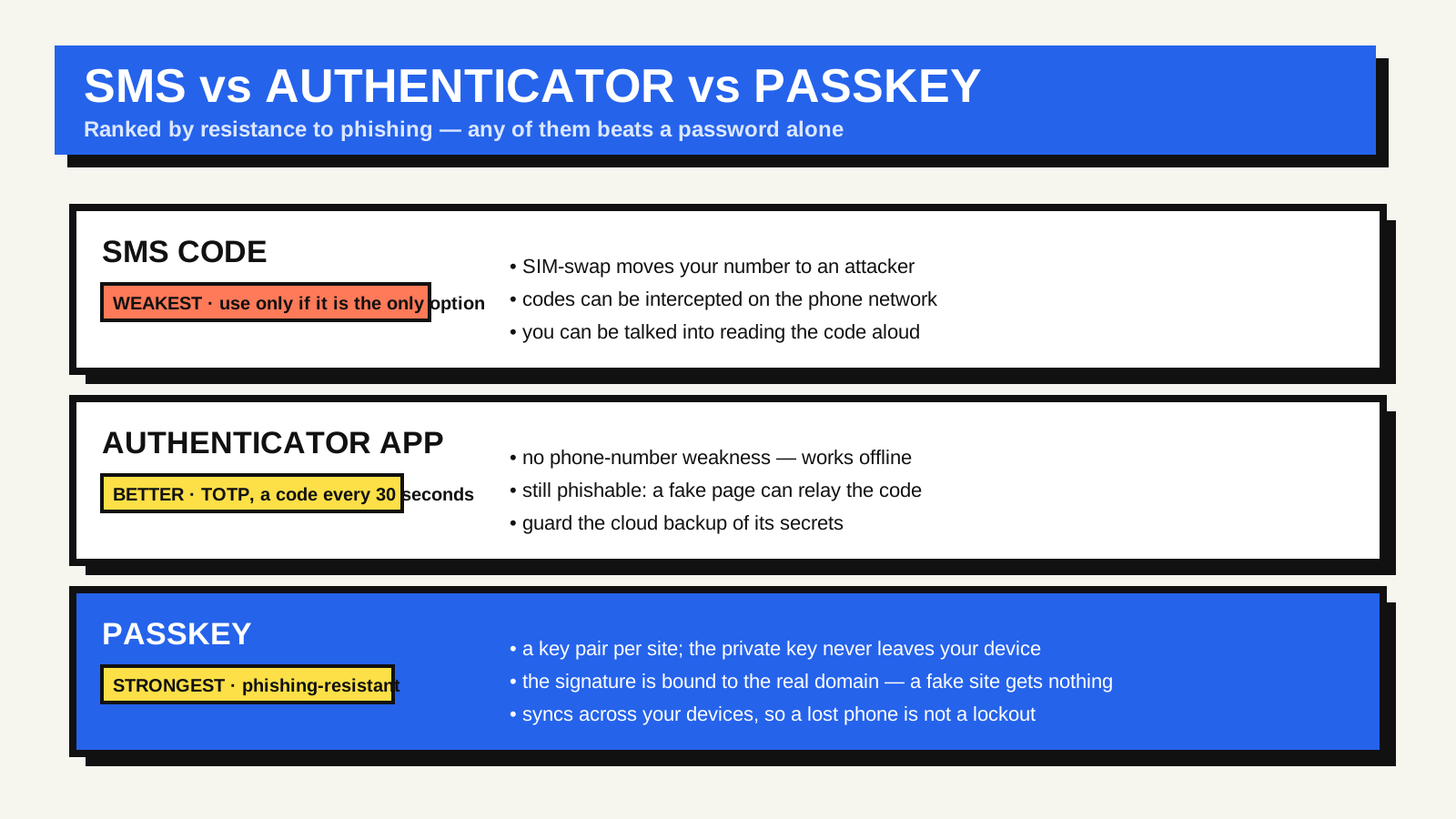
SMS codes: convenient, and the easiest to defeat
A one-time code by text works because only your phone number receives it. The weakness is that a phone number is not tightly bound to you. In a SIM-swap attack, someone persuades your mobile carrier to move your number to a SIM they control, and the codes start arriving on their device. Text messages can also be intercepted through long-standing weaknesses in the telephone signalling network, and — most often — you can simply be talked into reading a code aloud or typing it into a fake page during a live phishing attempt.
Government security guidance now treats SMS as a last resort rather than a recommended method; CISA’s guidance on multi-factor authentication puts app-based and hardware-based factors ahead of it. If SMS is the only second factor an account offers, it is still far better than nothing.
Authenticator apps: better, still phishable
An authenticator app shows a six-digit code that changes every 30 seconds. During setup, the site shares a secret with the app, usually via a QR code; after that, the app and the server each compute the same code from that secret and the current time, with no network connection needed. This is the TOTP standard, and it removes the phone-number weakness completely.
What it does not remove is real-time phishing. A convincing fake login page can ask for your current code and replay it to the real site within the 30-second window. The app cannot tell that the request came from an impostor, because it only knows the shared secret and the clock, not which site is asking.
Two smaller points: if your device is fully compromised, the secret can be copied; and if the app backs its secrets up to the cloud, the security of that backup becomes part of your account security.
Passkeys: the phishing problem, solved
A passkey uses a different design. Instead of a shared secret, your device generates a pair of cryptographic keys for each site: a private key that never leaves the device, and a public key the site stores. To sign in, the site sends a challenge; your device signs it with the private key after you approve with a fingerprint, face or device PIN; and the site verifies the signature with the public key. This is built on the Web Authentication API, a published web standard.
The property that matters is that the signature is tied to the real site’s domain. Your device will not sign a challenge for bank-login.example when the passkey was created for bank.example. A phishing page gets nothing reusable, because there is no code to read and no secret to hand over. That is what “phishing-resistant” means, and it is why security agencies now steer people and organisations toward it.
Passkeys sync across your devices through your platform account or a compatible password manager, so losing one device does not lock you out. The FIDO Alliance’s passkey overview is the reference for how the pieces fit together.
How to choose
- Use a passkey wherever an account offers one, especially for your email and your password manager — the accounts that unlock everything else.
- Use an authenticator app for accounts that do not support passkeys yet, and keep the recovery or backup codes the site gives you somewhere safe.
- Accept SMS only when it is the sole option, and treat any code you did not just request as a sign that someone already has your password.
- Whatever you choose, pair it with unique passwords from a password manager. The second factor protects the login; unique passwords contain the damage if one leaks.
FAQ
Is it safe to store passkeys or authenticator codes in my password manager?
Many password managers can now hold both. It is convenient and keeps everything in one encrypted vault. The trade-off is concentration: compromising that vault affects more accounts at once. Some people keep the second factor separate for their most critical accounts.
What happens to my passkeys if I lose my phone?
If your passkeys sync through your platform or password-manager account, you sign in on a new device and they are there. That is what makes passkeys practical for everyday use rather than only for hardware keys.
Should I remove SMS once I add an app or passkey?
If the account still allows SMS as a fallback, an attacker can target that weaker path. Where the site lets you remove the phone number as a recovery method, doing so closes that door — but set up another recovery method first.