 SkyyCast
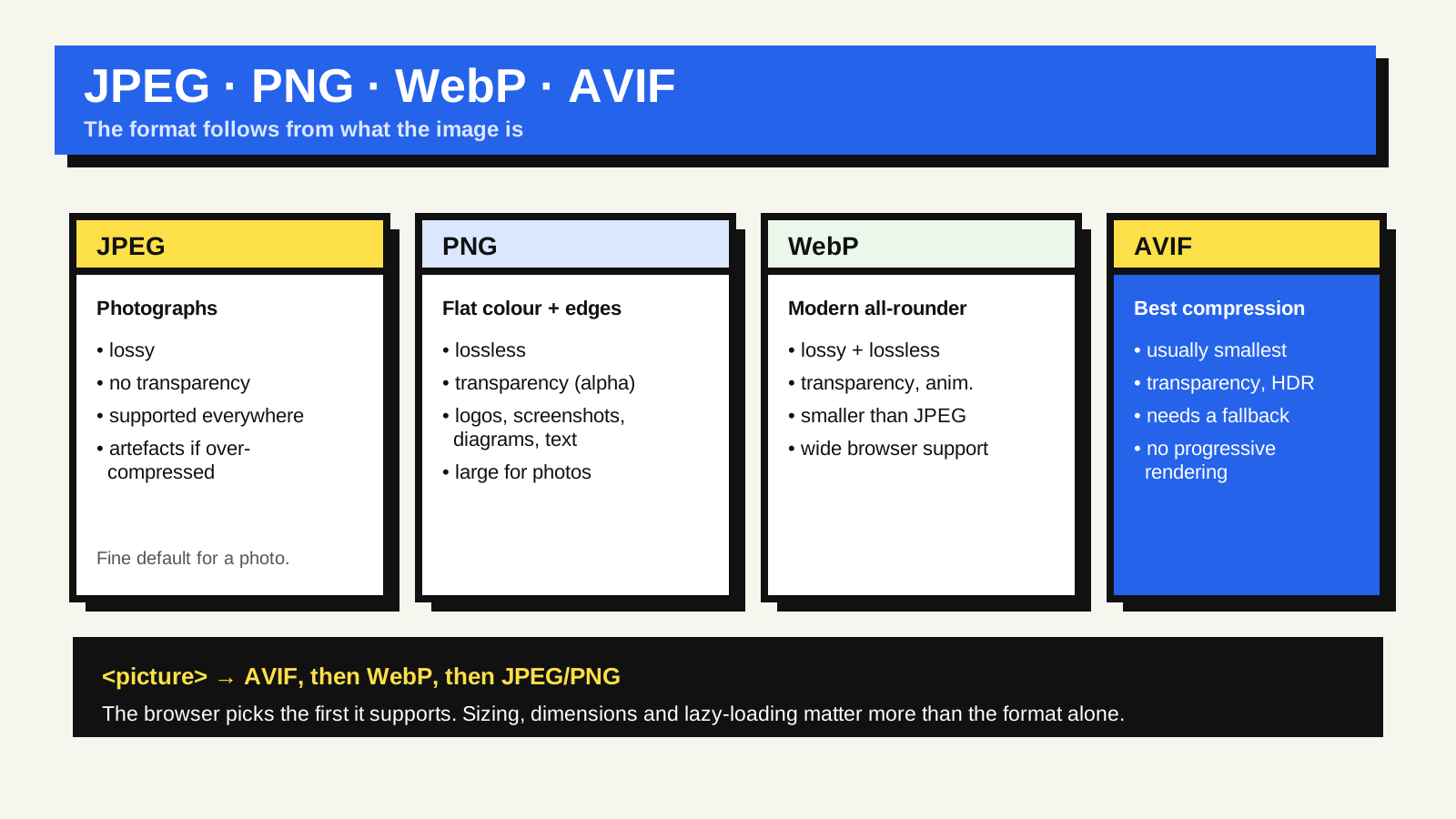
Most of the confusion about image formats disappears once you sort images into three kinds: photographs, flat-colour graphics such as logos and screenshots, and simple icons or line art. Each kind has formats that suit it and formats that fight it, and the newer formats change the maths without changing that basic split.
The two you already know
JPEG is the workhorse for photographs. It uses lossy compression tuned for the kind of gradual detail a camera produces, it is supported literally everywhere, and every tool can produce it. Its limits: no transparency, and visible blocky artefacts if you compress it hard or re-save it repeatedly. For a photo on a web page, it is still a perfectly reasonable default.
PNG is lossless and supports a transparent (alpha) channel. That makes it the right choice for graphics with sharp edges and flat areas of colour — logos, UI screenshots, diagrams, anything with text in it — where JPEG’s artefacts would show around the edges. The trade-off is size: a PNG of a photograph is typically several times larger than the JPEG, because lossless compression cannot discard the detail a photo contains.
The two newer ones
WebP does both lossy and lossless compression in one format, supports transparency and animation, and produces meaningfully smaller files than the equivalent JPEG or PNG at comparable quality. It has been supported across the major browsers for years, so for most sites it is now a safe primary format with a JPEG or PNG fallback for very old clients.
AVIF is newer and is derived from the AV1 video codec. It generally compresses better than WebP — often substantially so for photographs at the same visual quality — and it also supports transparency, wide colour and high dynamic range. It is now supported in every major browser, but not in every version people still run, so it needs a fallback. One practical quirk: AVIF has no progressive rendering, so a large AVIF file appears all at once when it finishes downloading rather than sharpening as it loads.
Serving a modern format safely
You do not have to choose one format for everyone. The picture element lets you list several sources in order of preference — AVIF, then WebP, then a JPEG or PNG inside a plain img tag as the last resort. The browser picks the first format it understands and ignores the rest. Many image hosting services and build tools will generate these variants for you, so the markup is the only part you write by hand.
A quick decision guide
- Photograph → AVIF or WebP, with a JPEG fallback.
- Logo, screenshot, diagram, or anything with transparency → WebP or AVIF, with a PNG fallback.
- Icon, logo mark, or simple flat illustration → SVG, which is vector, scales to any size, and is usually tiny.
- Animation → a video file for anything long; animated WebP or AVIF for short loops. A GIF is almost always the largest option.
Format is only half of it
Picking AVIF over JPEG helps, but the bigger wins are usually elsewhere: sizing the image to the space it occupies rather than shipping a 4000-pixel-wide original, giving it explicit width and height so the layout does not shift, providing a set of sizes for different screens, and lazy-loading images below the fold — but never the main hero image, which is often the Largest Contentful Paint element. Once served, images are also cached by the browser, so repeat visits are cheap. MDN’s image file type and format guide covers every format in detail.
Common questions
Should I convert my whole image library to AVIF now?
Serve AVIF with a fallback rather than replacing your originals. Keep a high-quality source file (often the original JPEG or PNG, or a lossless master) and generate the delivery formats from it, so you can re-encode later as tooling improves.
Is WebP obsolete now that AVIF exists?
No. WebP has broader support in older browser versions, encodes faster, and supports progressive-style display. Listing both, AVIF first and WebP second, gives you the best of each.
Does image format affect SEO?
Only indirectly. Smaller images load faster, which helps the page-experience side of Search, and correctly sized images with stable dimensions reduce layout shift. There is no ranking bonus for a particular format itself.